Records the trips you start
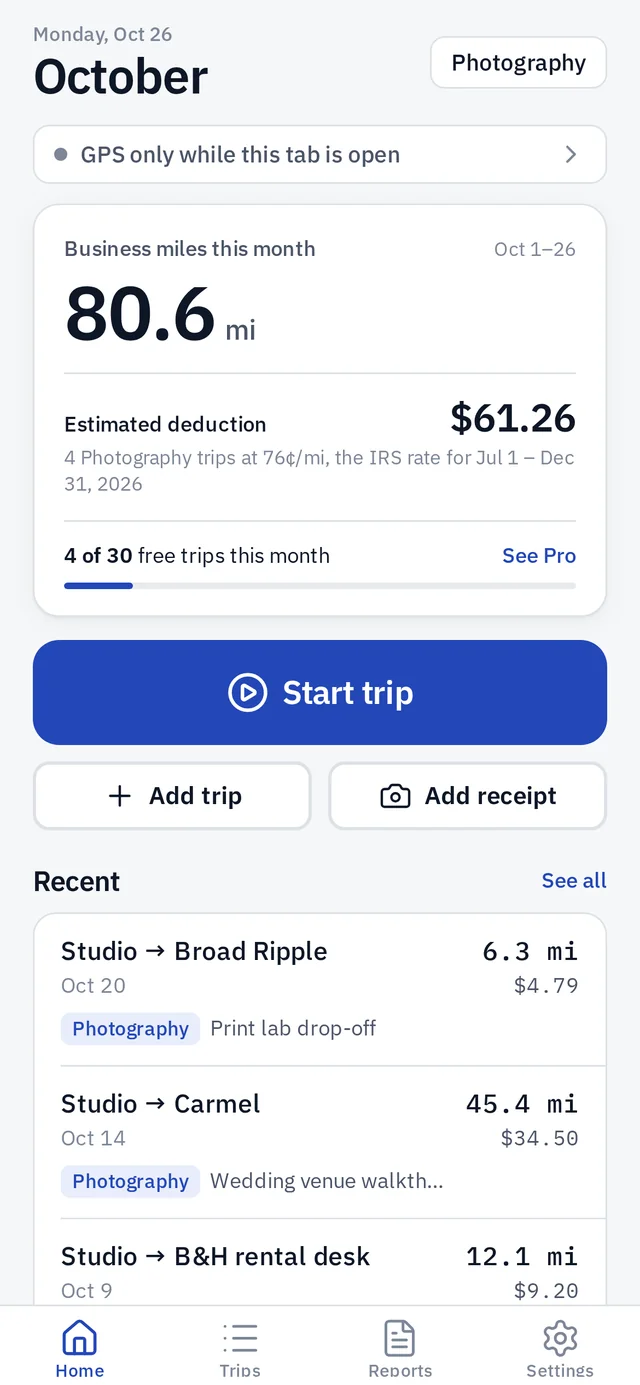
Tap Start trip and Deductrail measures the miles with GPS. It keeps recording when you lock your phone or switch apps, until you hold to stop.

Deductrail tracks mileage and expenses for business deductions. Start a trip and it records the miles, even with your phone locked. Add receipts, and see your totals by Schedule C line.
Coming soon to iPhone and Android. Not in the app stores yet.
Screens shown are from the current Deductrail build, with sample data.
Features
Made for people with one or more side hustles who want clean records at tax time.
Tap Start trip and Deductrail measures the miles with GPS. It keeps recording when you lock your phone or switch apps, until you hold to stop.
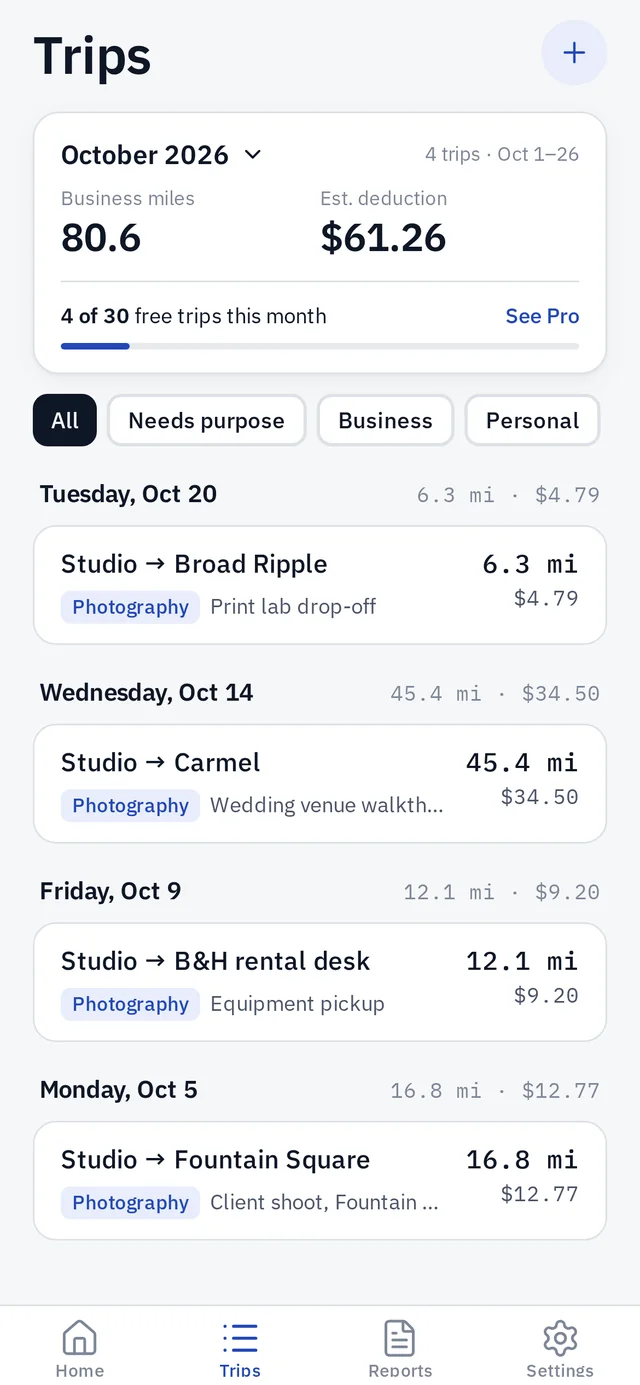
Mark each trip and add its business purpose. Trips missing a purpose get their own filter, and personal and commute miles stay out of your deduction.
Each trip uses the IRS business rate in effect on the day you drove, including mid-year changes, so you see an estimated deduction as you go.
Forgot to start a trip? Add it by hand with miles, or from odometer readings, and mark round trips in one tap.
Snap or pick a receipt photo, then set the vendor, amount, category and business-use share. Meals are counted at 50%. You can link an expense to a trip.
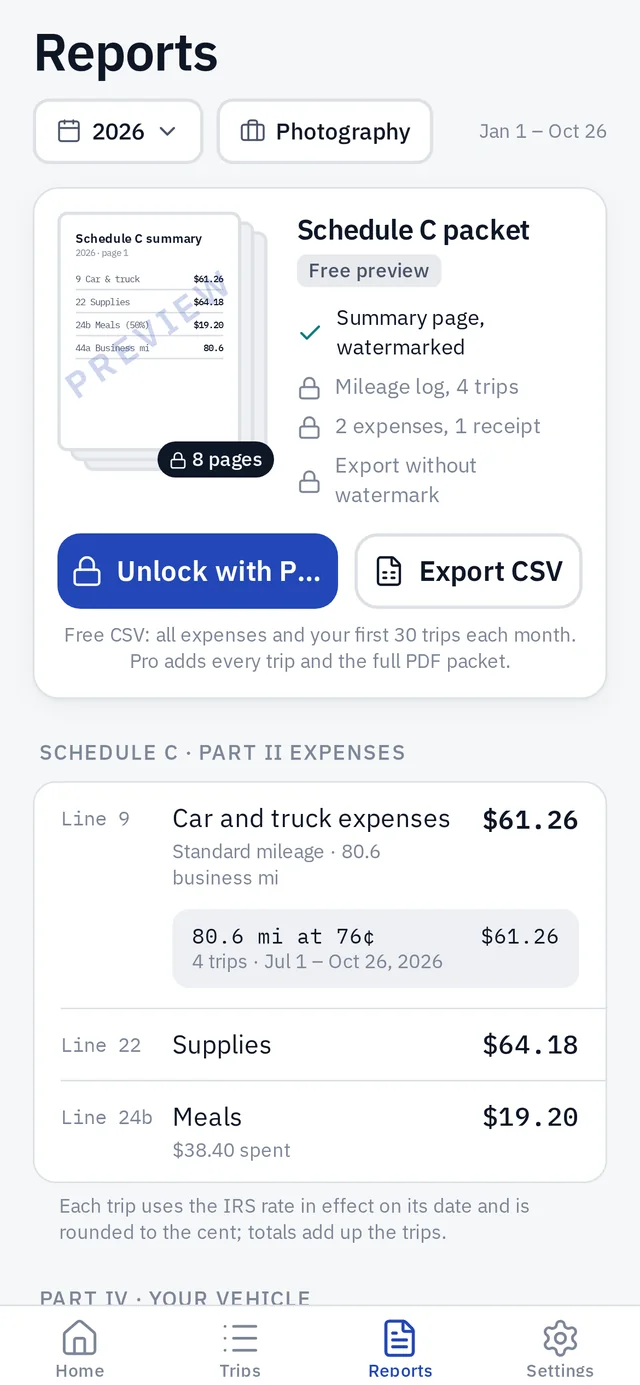
Reports add up car and truck expenses, supplies, meals and more by Schedule C line, for each business and year.
Export your mileage log and expenses as CSV whenever you like, for your own records or your tax preparer.
Each business keeps its own trips, expenses and totals. The free plan includes one business, and Pro adds more.
Sign in with a one-time code sent to your email, with no password, to back up your records and sync them across your devices.
How it works
Name your side hustle. Trips and expenses belong to a business, because each one files its own Schedule C.
Tap Start trip before you drive and hold to stop when you arrive. Mark the trip business, personal or commute, and add receipts as you spend.
Check your miles, estimated deduction and expenses by month or year, then export a CSV when you need it.
Reports
Reports group your year by Schedule C line, and show the miles and rate behind the car and truck total.
Privacy
Deductrail records your location only during trips you start, keeps your route on your phone, and lets you delete everything at any time.
FAQ
Deductrail is coming soon to iPhone and Android. It isn’t in the App Store or Google Play yet. We’ll post the links here when it is.
No. Deductrail records only the trips you start, so nothing is recorded by surprise. Once a trip is running, it keeps recording when you lock your phone or switch apps. On iPhone the blue location indicator stays on, and on Android a notification stays up, until you end the trip. You can also add trips by hand or from odometer readings.
GPS runs only while a trip you started is recording. When no trip is running, Deductrail doesn’t use your location.
Not on your phone. Your records stay on the device. If you want backup and sync across devices, sign in with a one-time code sent to your email. There’s no password to remember.
There’s a free plan with unlimited expenses, one business and CSV export. Free reports and exports include your first 30 trips each month, and every trip is still saved. Deductrail Pro adds unlimited trips, more businesses, and backup and sync. The app shows the price before you buy.
The IRS standard mileage rate for business, based on the date of each trip. For 2026 that’s 72.5¢ a mile from January 1 to June 30 and 76¢ a mile from July 1 to December 31.
No. Deductrail helps you keep mileage and expense records and estimates your deduction. Check with a tax professional about your situation.
In the app, go to Settings, then Delete account and data. You can also email privacy@deductrail.com. See Delete your account for details.
Email us any time. We’d love to hear from you.